Features
Everything Tessh does.
On your Mac and iPhone.
A native SSH client with keys that live in your device's security chip, files, tunnels and snippets. Every feature is free.
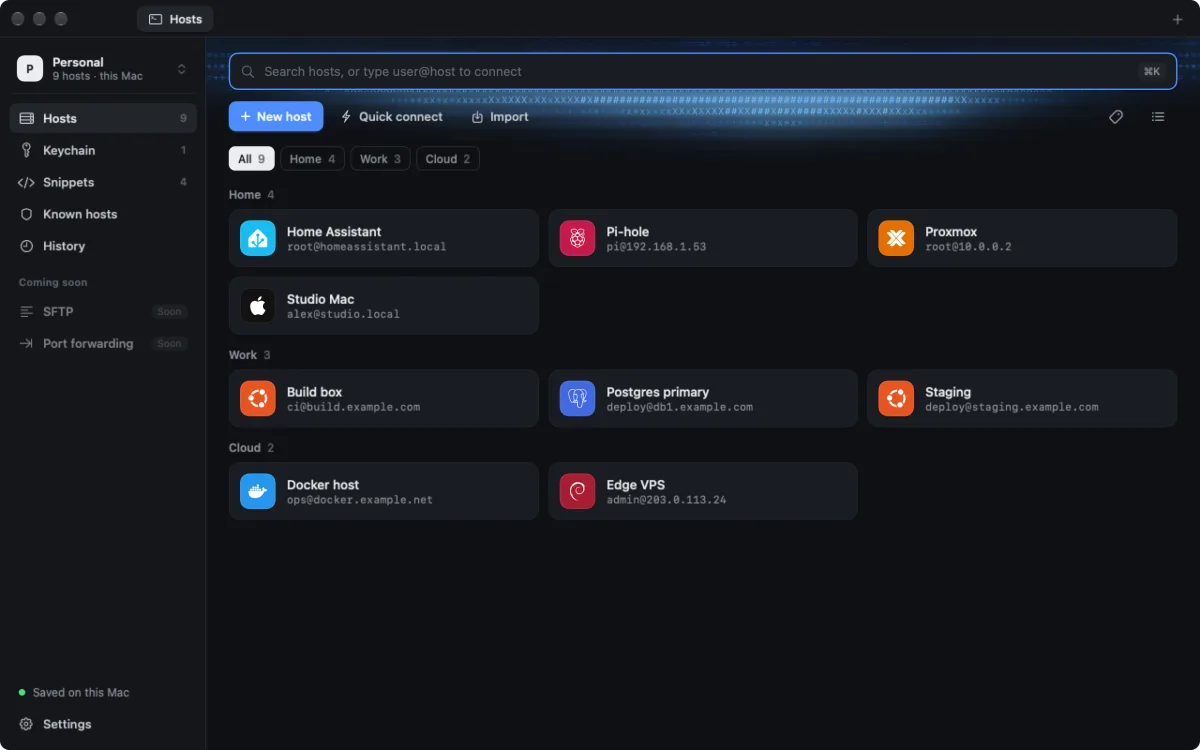
Hosts
Every server,
grouped and searchable.
Add a host once and it's on all your devices. Type a name, or user@host, and you're connected.
- Groups and tags for home, work and cloud
- Quick connect from the search bar
- Import from your SSH config
- Known hosts checked on first connect, synced after
Terminal
Fast, tabbed,
and it stays connected.
A real terminal with tabs on the Mac and a session switcher on iPhone. Connections survive a sleepy network.
- Tabs on Mac, session tabs on iPhone
- Keepalive that notices a dead link and says so
- History of every session, synced
- Password or key, your choice per host
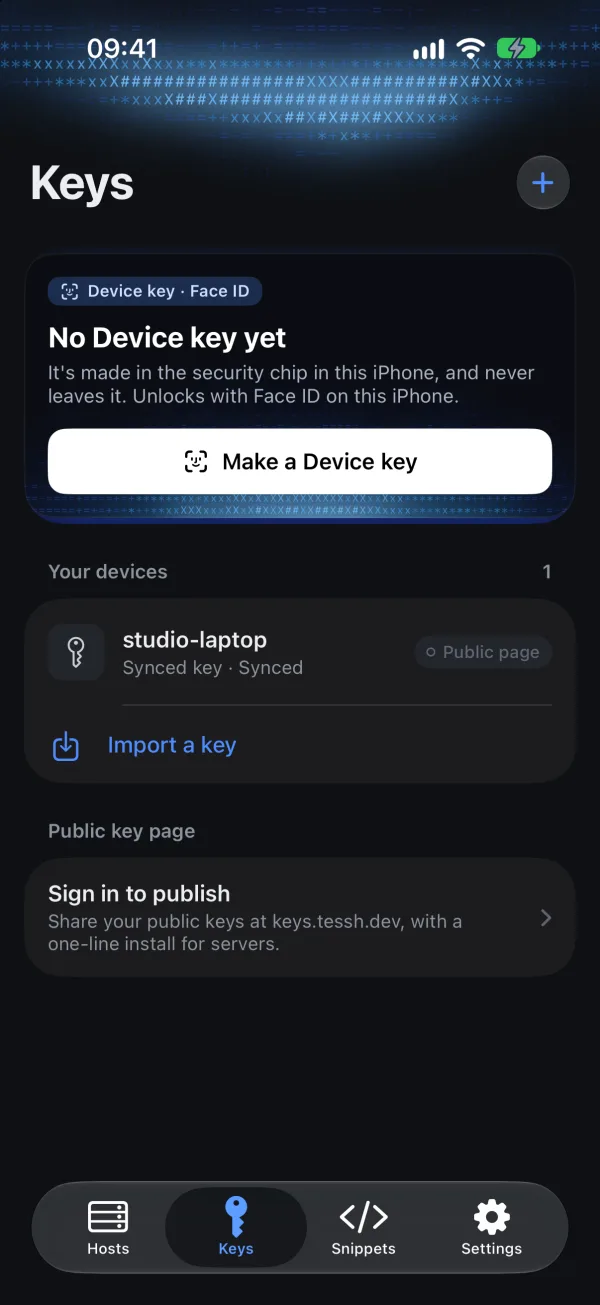
Keys
Keys that unlock
with your finger.
Make a key in one tap. Pick how it lives:
- Device key: made in your device's security chip and never leaves it. Touch ID or Face ID on every use.
- Synced key: Ed25519 or RSA 4096, on all your devices, encrypted end-to-end.
- Import the keys you already have
- Key page: one link that puts your public keys on any server. How it stays safe
Snippets
One command,
every server.
Save the commands you type every week. Run one on six hosts at once, each in its own tab.
- Placeholders like
{{when}}, asked for when you run - Run from inside any session
- Synced with everything else
Files and tunnels
Files, forwards
and jump hosts.
The plumbing you reach for when a server isn't on the open internet.
- SFTP file browser on Mac and iPhone
- Port forwarding to reach a database or dashboard
- Jump hosts through a bastion
- SOCKS5 and HTTP proxies
iPhone
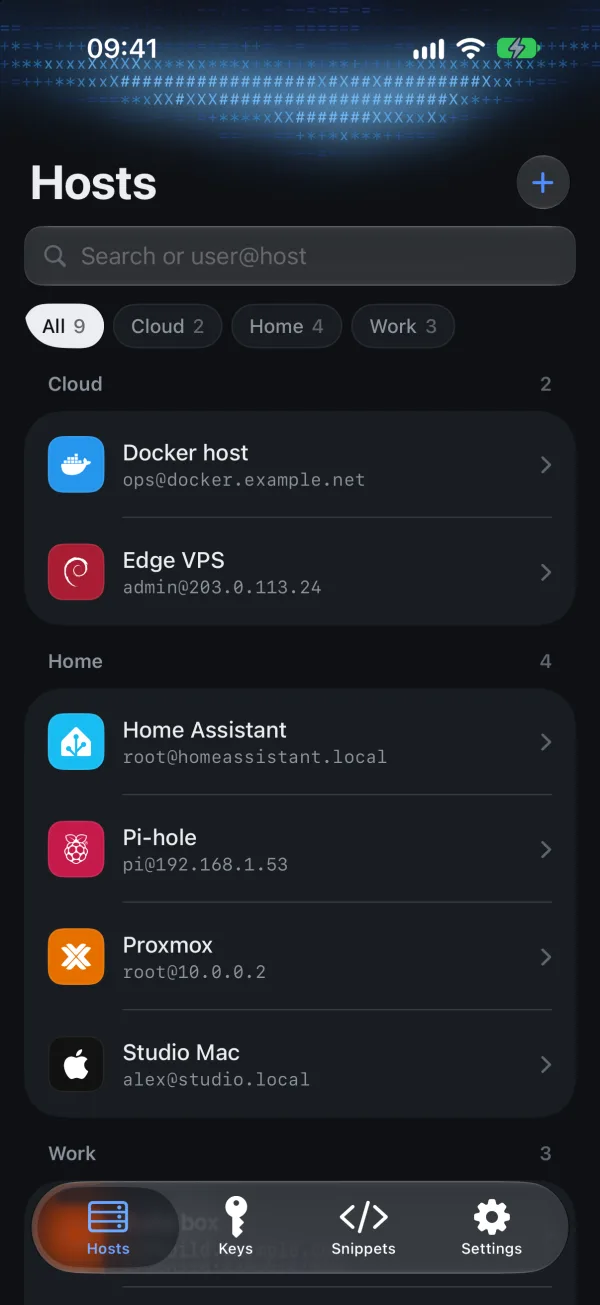
Your servers
in your pocket.
The same hosts, keys and snippets, built for a phone. Coming after the Mac app is stable.
- Device keys with Face ID
- Key bar with Esc, Ctrl, Tab and arrows
- Live Activity shows open sessions on the lock screen
- One tap to connect, long-press for more
Sync and vaults
Works offline.
Syncs when you want.
No account needed. Turn on sync and everything is locked on your device first, then synced through our server or your own.
- Vaults to keep work and home apart
- Recovery code if you forget your master password
- Free up to 5 MB or 10,000 items
Not yet
On the list, not in the app
Agent forwardingTeam vaultsAndroidWindowsLinux